
Advanced Face Liveness Detection SDK for Secure Authentication
Strengthen your face recognition and eKYC workflows with layered passive and active liveness detection. Stop spoofing attempts that rely on printed photos, replay attacks, masks, and AI-generated deepfakes – all while the checks run securely on your own infrastructure or directly on the user’s device.

Proving a Real Person Is on the Other Side of the Camera
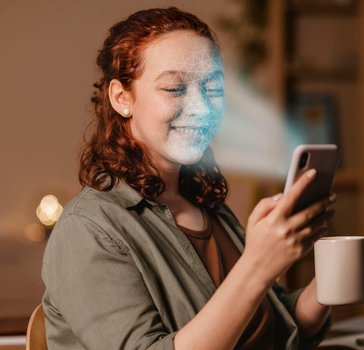
Face matching by itself isn’t enough to stop today’s spoofing attacks. FacePlugin’s Face Liveness Detection SDK confirms that every biometric sample comes from a real, physically present person by catching presentation attacks such as printed photos, replay videos, screen injections, cut-outs, and 3D masks before they ever reach a matching step.
The SDK supports both passive and active liveness checks. Passive liveness keeps the experience frictionless by validating authenticity from a single captured image, while active liveness raises assurance further through guided actions like blinking, smiling, or turning the head. Built for enterprise identity workflows, it’s evaluated against recognized PAD standards and runs entirely on your own servers or user devices, so biometric data stays private throughout.
Liveness detection is the natural companion to face recognition and eKYC: it makes sure the face being matched is genuinely present at the moment of capture, not replayed from a screen or printout. Use it as a gate ahead of login, onboarding, payment authorization, or any other high-risk action, and dial its strictness up or down to match the risk of each step in your flow.
Two Modes of Liveness, One SDK
Pick frictionless passive checks that work from a single selfie, or step up to guided active challenges for higher-risk actions. Both modes run locally, with no calls out to an external service.

What the Face Liveness Detection SDK Covers
FacePlugin’s biometric authentication bundles face detection, template extraction, and active or passive liveness into one lightweight SDK.
Passive PAD
Single-frame liveness with zero user effort for smooth onboarding.
Active challenges
Blink, smile and head-turn prompts for step-up assurance.
Anti-spoofing
Blocks photos, replays, cut-outs and 3D masks.
Works in the wild
Robust across devices, cameras and low-light conditions.
On-device option
Run liveness fully offline so selfies never leave the phone.
Fast and unlimited
Real-time checks with no per-call fees on your own hardware.
Built to Block the Full Range of Presentation Attacks
Presentation-attack detection spans both 2D and 3D spoof types, so a fraudster can’t reuse a stolen photo or recorded video to impersonate a live user.
Where Teams Put Face Liveness Detection to Work
Onboarding gate
Confirm a live person is present before running the face match step in KYC and account opening.
Login step-up
Add a liveness challenge ahead of password resets, payments, and other high-risk actions.
Access control
Stop photo and video spoofs at doors, kiosks, and time-and-attendance terminals.
Remote proofing
Verify that a real person is present during fully remote identity-proofing sessions.
Integrate Face Liveness Detection in Three Steps
Capture
The user takes a selfie or short capture through your app or a web camera.
Analyze
The SDK scores the capture for liveness and presentation-attack signals, locally.
Gate
Genuine live users pass through while spoofs are blocked before they ever reach face matching.
Frequently Asked Questions
What’s the difference between passive and active liveness?
Passive liveness verifies a user from a single image with no interaction required, while active liveness asks for a simple action like blinking or turning the head to add another layer of assurance.
Which spoofing attempts does liveness detection catch?
The SDK guards against presentation attacks such as printed photos, screen replays, video injections, paper cut-outs, and 3D masks.
Has FacePlugin’s liveness technology been independently evaluated?
Yes. FacePlugin’s liveness solution is developed to meet recognized PAD standards and follows industry testing practices for reliable spoof detection.
Is FacePlugin liveness certified for on-device use?
FacePlugin liveness models are tested against iBeta / ISO 30107-3 presentation-attack detection methodology. Contact us for the current certification details for your deployment.
Does liveness detection need an internet connection to work?
No. The SDK supports fully offline operation on compatible mobile devices, so liveness can be verified securely without ever sending data to the cloud.
Pairs Well With
Protect Your Face Flows from Spoofing
Add liveness detection to your face recognition or eKYC product and stop presentation attacks at the source.