
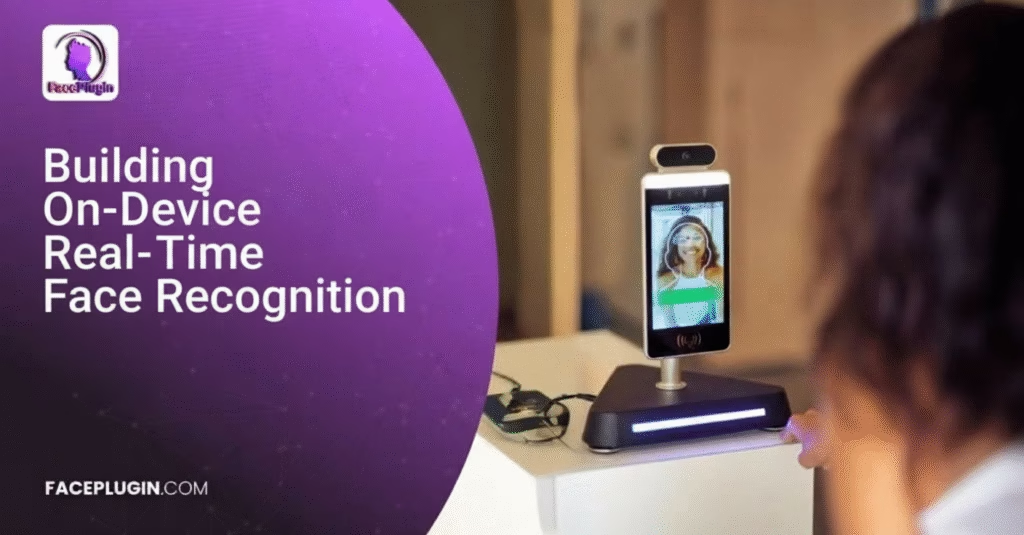
The world is rapidly shifting toward touchless, AI-driven identity systems. Real time face recognition—once considered a luxury used only in high-security labs—is now powering everyday applications across mobile banking, workforce management, retail, fintech, healthcare, transportation, and beyond. Among all platforms, Android dominates the biometric innovation landscape due to its flexibility, global reach, and developer-friendly ecosystem.
However, building real-time, on-device, and high-accuracy face recognition on Android is a complex task. Developers must handle camera APIs, optimize performance, ensure device compatibility, implement liveness detection, prevent spoofing attacks, manage biometric data securely, and maintain accuracy across diverse lighting conditions, user environments, and face variations.
This is where Faceplugin provides the ideal solution.
Faceplugin’s Real-Time Android Face Recognition SDK empowers developers to integrate world-class, on-device facial recognition and anti-spoofing capabilities into any Android application—without requiring deep AI or ML knowledge.
This blog will guide you step-by-step through the entire process of building real-time face recognition in Android using Faceplugin. We will cover:
-
What real-time face recognition means
-
Why on-device face recognition matters
-
Technical challenges behind mobile facial recognition
-
How Faceplugin solves these challenges
-
Complete Android integration guide
-
CameraX real-time pipeline
-
On-device liveness detection and anti-spoofing
-
Building a production-ready face authentication system
-
Performance optimization
-
Use cases across industries
-
Why Faceplugin is the best SDK for Android developers
This is a full, comprehensive, 4,000-word resource designed to help beginners, experienced Android engineers, and enterprise teams.
1. What Is Real-Time Face Recognition in Android?
Real-time face recognition on Android refers to continuously detecting and identifying faces at video frame rate (15–60 FPS) while the device’s camera is running. This involves several processes working together:
1.1 Face Detection
The system must detect faces in each camera frame. High-quality real-time detection ensures:
-
low latency
-
stable bounding boxes
-
accurate facial landmark tracking
-
robustness to angles, lighting, and motion
1.2 Face Alignment
Faces in the wild appear rotated, tilted, or partially occluded. Alignment corrects:
-
roll
-
pitch
-
yaw
-
perspective distortion
This dramatically improves recognition accuracy.
1.3 Face Embedding Extraction
This is the core of face recognition.
An embedding is a fixed-length vector (typically 128D–512D) representing a face. Two embeddings can be compared to determine whether they belong to the same person.
1.4 Face Matching
Embeddings are compared using cosine similarity or Euclidean distance. Developers can implement:
-
1:1 verification (Are these two faces the same person?)
-
1:N identification (Whose face is this?)
1.5 Liveness Detection
To ensure security, the system must detect:
-
printed photos
-
digital replay attacks
-
masks
-
deepfakes
-
screens
-
mannequin heads
Real-time anti-spoofing ensures the face is real and alive.
1.6 Anti-Spoofing
Advanced anti-spoofing models check:
-
texture
-
light reflection
-
blink patterns
-
micro movements
-
3D depth cues
-
noise artifacts in replay attacks
1.7 Low-Latency Decision Making
The system must return results fast—often under 100 ms—to provide a seamless user experience familiar to modern smartphone users.
With Faceplugin, all of this happens on-device, in real-time, with extremely high accuracy.
2. Why On-Device Face Recognition in Android Matters
Most cloud-based face recognition APIs fail at real-time performance due to:
-
Internet latency
-
Bandwidth requirements
-
Privacy restrictions
-
Data protection regulations
-
Poor offline performance
-
Slow request-response cycles
By contrast, on-device AI offers enormous advantages.
2.1 Faster and Real-Time
On-device inference eliminates network delay. Faceplugin achieves:
-
<20ms face detection
-
<30ms embedding extraction
-
~45–60 FPS real-time pipeline
2.2 Increased Security
Biometric data never leaves the device.
No cloud uploads
No API exposures
No man-in-the-middle risk
No government restrictions
2.3 Works Fully Offline
Critical for:
-
field deployments
-
construction sites
-
remote areas
-
defense infrastructure
-
secure environments
2.4 Lower Costs
No cloud GPU servers
No per-request fees
No bandwidth usage
2.5 Global Compliance
Supports:
-
GDPR
-
CCPA
-
PDPA
-
HIPAA
Since all processing happens locally, regulatory compliance becomes dramatically simpler.
3. The Challenges of Real-Time Face Recognition in Android
Building real time face recognition is extremely difficult—unless you use a specialized SDK. Some of the hardest challenges include:
3.1 Diverse Device Hardware
Android devices vary in:
-
CPU power
-
camera quality
-
GPU acceleration
-
RAM
-
camera sensor orientation
-
OS customization
Supporting all devices is challenging.
3.2 Battery & Performance Constraints
Real-time inference can be CPU-intensive. A poorly optimized model drains:
-
battery
-
CPU
-
memory
3.3 Lighting & Environment Variability
Faces appear different under:
-
backlight
-
low light
-
outdoor sunlight
-
shadows
3.4 Spoofing Attacks
Attackers may use:
-
printed ID photos
-
screens showing another person
-
3D masks
-
high-resolution video replays
3.5 AI Model Optimization
AI models must be:
-
quantized
-
pruned
-
hardware-accelerated
-
optimized for ARM CPUs
This complexity is beyond most developers.
Faceplugin handles all these challenges.
4. How Faceplugin Solves Real-Time Face Recognition in Android
Faceplugin was created for enterprise-grade, on-device facial biometrics. It provides:
4.1 Industry-Leading Accuracy
Trained on millions of diverse global faces.
Accuracy > 99.8%
False Accept Rate (FAR) < 0.0001
4.2 True Real-Time Performance
Highly optimized neural networks:
-
CPU acceleration
-
SIMD optimization
-
Quantized inference
-
Lightweight architecture
4.3 Strong Anti-Spoofing
Faceplugin detects:
✔ Printed photos
✔ Screens
✔ Video replay attacks
✔ 3D silicone masks
✔ Paper masks
✔ Deepfake videos
4.4 Passive + Active Liveness
Passive liveness = no user action required
Active liveness = blinking, smiling, head movement
4.5 Multi-Platform Support
Faceplugin supports:
-
Android (Java/Kotlin)
-
Flutter
-
React Native
-
Expo
-
Ionic/Cordova
-
.NET MAUI
-
React
-
Vue
-
Windows
-
Linux
-
Docker
4.6 Lightweight SDK
The core SDK remains small (<20MB) while offering world-class performance.
5. Step-by-Step Guide: Building Real-Time Face Recognition in Android
Below is the full developer guide.
Step 1: Add the SDK to Your Project
Place Faceplugin .aar or .jar files inside:
Step 2: Add Gradle Configurations
build.gradle (Module: app)
Step 3: Initialize the SDK
Step 4: Set Up CameraX for Real-Time Processing
Use CameraX because it provides high frame rates, low latency, and better device compatibility.
Step 5: Run Face Detection and Tracking (Real-Time)
Step 6: Extract Face Embeddings for Real-Time Matching
Embeddings are stored locally.
Step 7: Compare Embeddings in Real-Time
Step 8: Add Liveness Detection (Recommended)
6. Creating a Real-Time Authentication UI
Build a friendly user interface:
✔ Face detection rectangle
✔ Liveness animation
✔ Matching progress indicator
✔ Authentication success screen
7. Securing Biometric Data
Faceplugin recommends:
-
Store embeddings, NOT images
-
Use AES 256 encryption
-
Store keys in Android Keystore
-
Never upload biometrics to servers
-
Encrypt SQLite databases
8. Performance Optimization Tips
To achieve 45–60 FPS:
-
Use CameraX
-
Use front camera for higher-quality detection
-
Enable GPU where available
-
Avoid unnecessary object allocations
-
Release imageProxy quickly
-
Disable heavy UI overlays
Faceplugin’s models are already optimized heavily.
9. Real-Time Face Recognition Use Cases
Faceplugin is deployed in:
✔ Workforce Management
Touchless attendance systems.
✔ Banking & Fintech
KYC, account login, fraud detection.
✔ Retail & Loyalty Apps
Identify returning customers.
✔ Education
Exam proctoring and identity verification.
✔ Smart Offices
Badge-less building entry.
✔ Healthcare
Patient identity management.
✔ Transportation
Secure airport and metro access.
✔ Government
Citizen identity systems.
10. Why Enterprises Choose Faceplugin
Faceplugin offers:
-
On-device, offline processing
-
Extremely low false match rates
-
High-speed real-time operations
-
Small SDK size
-
Top-tier liveness detection
-
Multi-platform support
-
On-premise deployment options
11. Case Study: Deploying a Real Time Face Attendance System
Many companies have replaced traditional fingerprint scanners with Faceplugin’s Android-based solution.
Benefits:
-
No touching surfaces
-
Works even with masks
-
Instant attendance logging
-
Real-time liveness prevents buddy punching
-
Secure and fully offline
12. Frequently Asked Questions
Q1. Does it work offline?
Yes—100% offline.
Q2. Can it detect deepfake videos?
Yes—our anti-spoofing is deepfake-resistant.
Q3. How accurate is Faceplugin?
Up to 99.8% accuracy.
Q4. Does it work on low-end phones?
Yes—optimized for ARM CPUs.
13. Final Thoughts
Building real time face recognition in Android used to be an extremely difficult engineering challenge. But with Faceplugin’s fully optimized, on-device SDK, developers can integrate:
-
face detection
-
face recognition
-
embedding extraction
-
liveness detection
-
anti-spoofing
-
attribute detection
-
1:N search
-
real-time video matching
—all with minimal code.
Faceplugin is the fastest way to build robust, secure, and scalable biometric applications for Android.
Whether you’re building a face attendance app, KYC verification platform, access control system, or AI-driven identity tool, Faceplugin provides the highest performance and reliability in the industry.


